The zombie AI trend, in one click
Zombie AI
Video Generator
One of you turns. The other can't pull the trigger.
Upload two photos and get the 15-second zombie love story everyone is posting — the turn, the gun, the memory, the embrace. With sound, in 9:16 for TikTok, Reels and Shorts or 16:9 for YouTube, in minutes.
- 2 photos in
- 15 seconds
- With sound
- 9:16 or 16:9
- Both faces kept
- No prompt, no editing
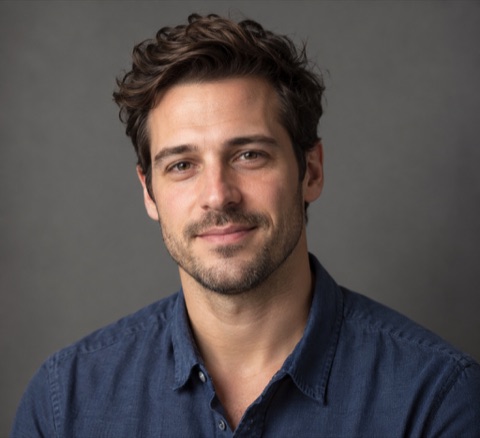 Who turns
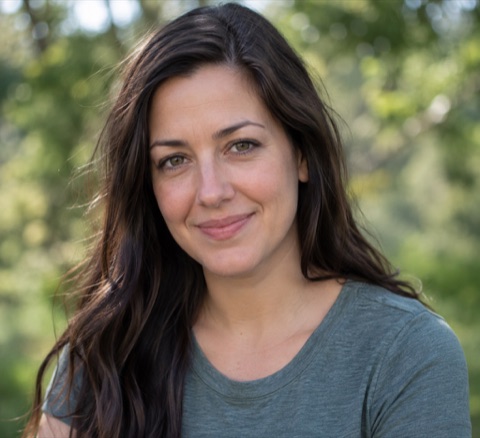 Who can't shoot
What is the zombie AI trend?
The zombie AI trend is a 15-second AI video made from two photos: one person has turned into a zombie, the other raises a gun and can't fire, a warm memory of the two of them cuts in, and the gun comes down. Every video follows the same four beats, so yours cuts the way the ones in your feed do. These frames are from the example above.
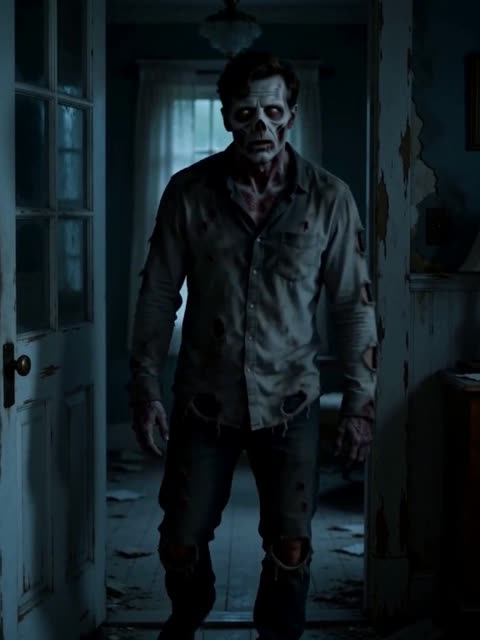 0–3 s · coldThe turnThey stand in the doorway — grey skin, clouded eyes, still unmistakably them.
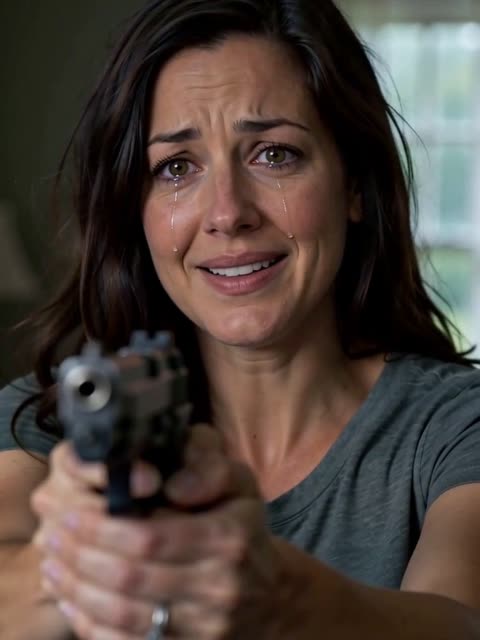 3–6 s · coldThe gunYou raise it with shaking hands. Tears. You can't pull the trigger.
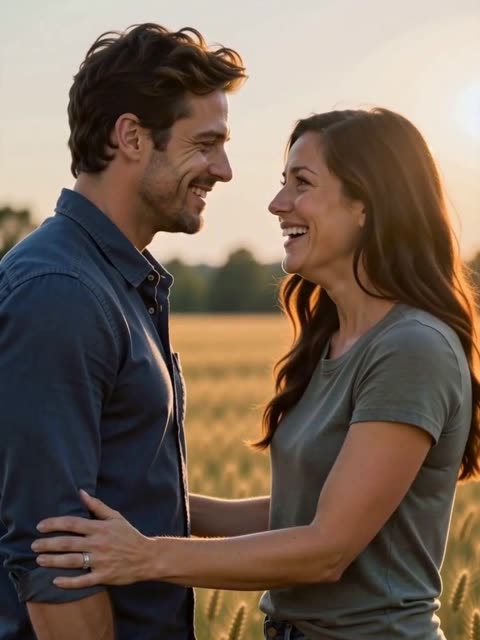 6–10 s · warmThe memoryGolden hour. The two of you, laughing, exactly as you were. The music turns.
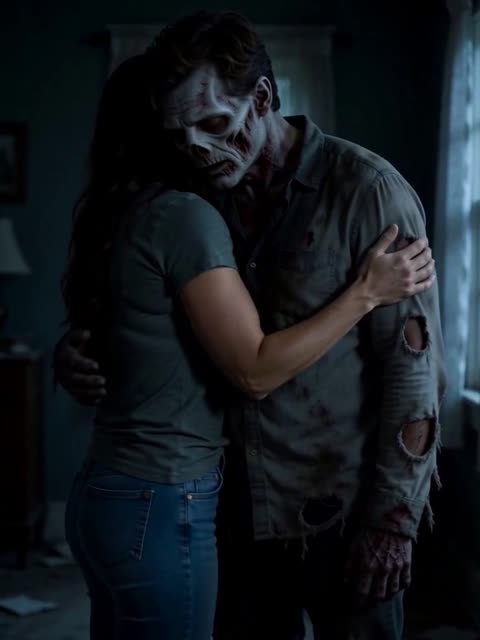 10–15 s · coldThe embraceBack in the dark, the gun comes down. You open your arms anyway.
Same two photos, a different scene
The scene and the memory are yours to pick. Here the same couple is in the hospital corridor, and the memory is a beach day instead of the wheat field.
- Scene: Hospital corridor
- Memory: Beach day
- Bond: Couple
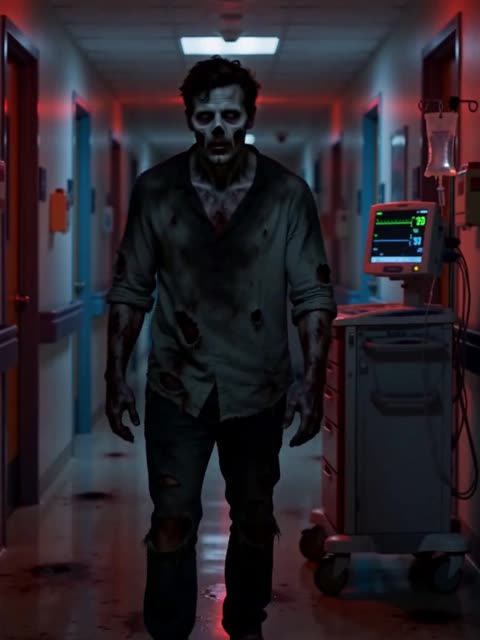 0–3 s · coldThe turnRed emergency lights. He walks out of a ward, still him.
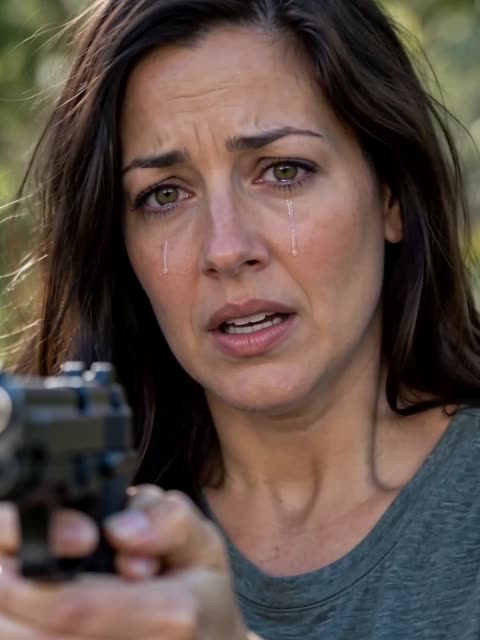 3–6 s · coldThe gunSame shaking hands, same tears. She can't do it.
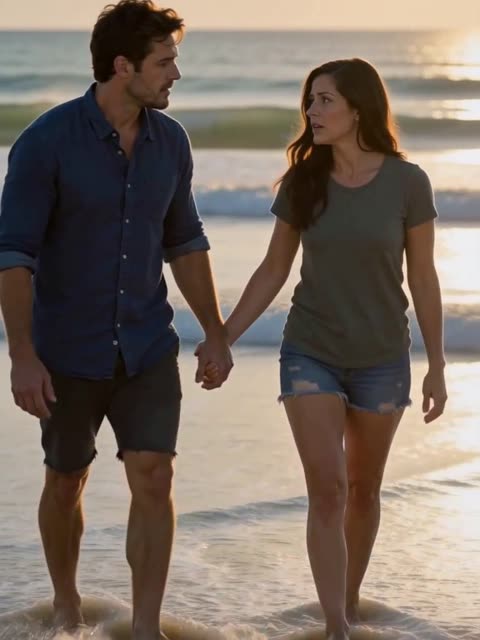 6–10 s · warmThe memoryA beach at sunset, barefoot in the waves, hand in hand.
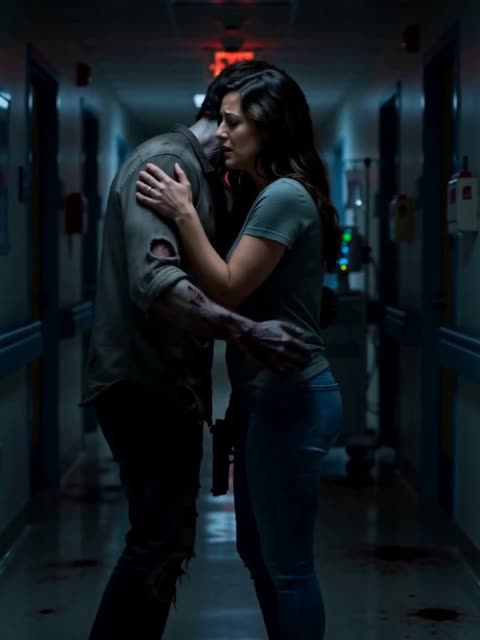 10–15 s · coldThe embraceBack in the corridor, the gun comes down.
How to make a zombie AI video
- 01Add two photosOne face per photo, looking at the camera, in good light. JPG, PNG or WebP.
- 02Pick a scene, your bond and a memoryFour scenes, three kinds of bond, six memories, 9:16 or 16:9. We write and time the four beats for you.
- 03Generate, download, postA minute or two later you get a 15-second MP4 with sound, no watermark. If it fails, your credits come back.
Dreamina, CapCut, Google Flow — or one click
You can make the zombie AI trend with general video tools. Here is what that takes.
| Compare | Dreamina / CapCut / Flow | AI Zombie Trend |
|---|---|---|
| Prompts | Write two (zombie scene + memory) | None — pick a scene |
| Editing | Join the clips and add music yourself | One finished 15 s clip with sound |
| Faces | Often drift or swap between clips | Both photos used as references the whole way |
| Cost | Free credits, then the tool's plan | 60 credits per finished video |
Pricing
Pay once, no subscription. 60 credits per finished video, credits never expire, and failed videos are refunded automatically.
- 60 credits · 60 per video
- 15 s, 9:16 or 16:9, sound, no watermark
- One-time payment, credits never expire
- Failed videos refunded automatically
- 180 credits · 60 per video
- 15 s, 9:16 or 16:9, sound, no watermark
- One-time payment, credits never expire
- Failed videos refunded automatically
- 600 credits · 60 per video
- 15 s, 9:16 or 16:9, sound, no watermark
- One-time payment, credits never expire
- Failed videos refunded automatically
Questions
What is the zombie AI trend?
The zombie AI trend is a 15-second AI video made from two photos: one person has turned into a zombie, the other raises a gun and can't fire, a warm memory of the two of them cuts in, and the gun comes down. It spread on TikTok, Reels and Shorts in late September 2026 as the "zombie love story" or the "AI zombie hug".
How do I make a zombie AI video?
Add a photo of the person who turns and a photo of the person who can't shoot, pick a scene, your bond and a format, and press Generate. The zombie AI video generator writes and times the four beats for you and returns a 15-second MP4 with sound, in 9:16 or 16:9.
How much does a zombie AI video cost?
One finished video costs $4.99, three cost $11.99 and ten cost $29.99. Each video uses 60 credits, you pay once, and credits never expire. If a render fails, the 60 credits come back automatically.
Do I need a subscription?
No. There is no subscription and nothing renews. You buy a credit pack once, use it whenever you like, and the credits never expire.
Is there a free zombie AI video generator?
Dreamina, CapCut and Google Flow give free credits, but you write two prompts and edit the clips together yourself, and faces often drift between clips. Here a finished video uses 60 credits, because every render costs real GPU time.
Does the video come with sound? What song is used in the trend?
Every video comes with its own generated soundtrack: a low drone and the sounds of the scene in the cold beats, then a soft piano that enters on the first warm frame of the memory. The trend has no single official song; most versions use a slow, sad piano track. To post under a trend sound, pick it inside TikTok or Instagram when you upload.
Which app is used for the zombie AI trend?
Most tutorials use Dreamina or CapCut, Google Flow or Gemini, or Kling, in two generations plus an edit. This generator runs the four beats as one generation on MiniMax H3 with both photos as references, so there is no prompt to write and no editing.
Can I do it with my dog or cat?
No. This generator makes the zombie AI trend with two people: two photos, one face each, of two adults who agreed to be in it.
Does it work for parents, siblings or best friends?
Yes. Pick "Parent & child" or "Best friends" as the bond and the memory and the embrace change to fit: a grainy birthday home video for a parent and child, a sunlit field or road trip for friends and couples.
Do I need a photo of myself? Can a man be the zombie?
You need two photos, one face each, of any two adults, in any order: either person can be the one who turns, and either can hold the gun. You don't have to be in it yourself.
Is it scary or gory?
No. The zombie has grey skin and clouded eyes but is still clearly them. There is no blood, no biting and the gun never fires.
How long does it take?
Usually a minute or two. You can close the tab, the video waits in My videos.
What if my video fails?
If a render fails, the 60 credits come back to your account automatically and your photos stay in the generator, so you can try again at no cost.
What photos work best?
One face per photo, looking at the camera, in even light, without sunglasses or heavy filters. JPG, PNG or WebP.
Are my photos private?
Yes. Your photos are used only to make your video and are deleted from storage after 30 days. Videos are private to your account unless you share their link.
Can I use a photo of someone else?
Only of adults who agreed to be in the video. No children and no public figures.
What does "jadi zombie" mean?
"Jadi zombie" is Indonesian for "become a zombie". In Indonesia the same video is called the "tren jadi zombie", and this generator makes it too.
More: what the zombie AI trend is and the step-by-step guide.
Make the one they'll watch twice.
Make my zombie video